Setting up a smart home doesn’t have to break the bank. In fact, with a little planning and the right affordable smart home devices, you can create a functional, automated living space with a $500 smart home plan. Whether you’re a beginner to home automation or just looking for budget automation tips, this step-by-step guide will help you maximize your investment and enjoy the conveniences of a smart home setup on a budget—all tailored for 2026 technology and prices.
Why Build a Smart Home on a Budget?
Smart homes are no longer a luxury reserved for tech enthusiasts. In 2026, entry-level devices are more affordable and user-friendly than ever. But diving into the world of automation can be overwhelming, especially with so many options and the fear of overspending. The good news: a thoughtful $500 smart home setup can cover your essential needs—security, comfort, and convenience—while leaving room for future upgrades.
What You’ll Learn:
– How to prioritize smart home devices for maximum impact
– Step-by-step instructions to choosing, buying, and setting up each device
– Money-saving tips and examples to stretch your $500 budget
Step 1: Set Your Priorities—What Do You Want from Your Smart Home?
Before spending a dollar, define your goals. Are you looking for better security? Energy savings? Hands-free convenience? Most affordable smart home devices fall into three main categories:
- Smart Lighting: Automate schedules, dimming, and even color.
- Home Security: Cameras, sensors, and smart locks.
- Comfort & Control: Smart speakers, thermostats, and plugs.
Pro tip: Focus on devices that work together and support major ecosystems like Google Home, Amazon Alexa, or Apple HomeKit.
Budget Allocation Table
| Device Category | Estimated Budget |
|---|---|
| Smart Speaker/Hub | $50–$80 |
| Smart Lighting | $80–$120 |
| Security Devices | $120–$180 |
| Smart Plugs/Accessories | $40–$60 |
| Thermostat (optional) | $60–$100 |
| Total | $350–$500 |
Prices as of 2026, may vary by brand and store.
Step 2: Choose a Smart Home Ecosystem
A smart home ecosystem is the digital “language” your devices use to talk to each other. Sticking to one system prevents compatibility headaches. The big three for 2026 remain:
- Amazon Alexa: Huge device support, affordable options
- Google Home: Simple setup, strong voice assistant
- Apple HomeKit: Best for iPhone users, privacy focused
How to decide: If you already own a smart speaker, build around it. Otherwise, compare features and choose what fits your lifestyle.
Starter Device Examples
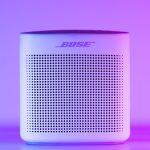
- Amazon Echo Dot (5th Gen): ~$50 – Great for voice control and routines.
- Google Nest Mini (2nd Gen): ~$50 – Seamless Google integration.
- Apple HomePod Mini: ~$80 – For Apple-centric homes.
Step 3: Buy Essential Smart Devices
Here’s a step-by-step plan to get the most from your $500 budget.
1. Start with a Smart Speaker or Hub
- Acts as your control center—issue voice commands, set automation routines.
- Example: Amazon Echo Dot or Google Nest Mini.
2. Upgrade to Smart Lighting
- Buy 2-4 smart bulbs for key rooms (living room, bedroom, entryway).
- Look for brands like Wyze, TP-Link Kasa, or Philips Wiz (often under $15 per bulb in 2026).
- Features: Schedule lights, dimming, color changes via app or voice.
3. Add Security on a Budget
- Smart Camera: Entry-level indoor cameras start around $40–$60 (e.g., Wyze Cam, Blink Mini).
- Contact Sensors: Place on front/back doors; $15–$25 per sensor.
- Smart Lock (Optional): Basic models from Wyze or August now retail near $80–$100.
4. Grab a Smart Plug or Two
- Control non-smart devices (like lamps, coffee makers) from anywhere.
- Often $10–$15 each, or $25 for a 2-pack.
5. Consider a Smart Thermostat (If Room in Budget)
- Entry models from Amazon or Wyze start at $70–$100.
- Provides remote temperature control and energy savings.
Example $500 Smart Home Shopping List (2026):
| Device | Quantity | Estimated Total |
|---|---|---|
| Smart Speaker (Echo Dot) | 1 | $50 |
| Smart Bulbs (Wyze/TP-Link) | 4 | $60 |
| Indoor Security Camera (Wyze Cam) | 1 | $50 |
| Door/Window Sensors | 2 | $40 |
| Smart Plug | 2 | $25 |
| Smart Thermostat (Optional) | 1 | $100 |
| Total | $325–$375 (w/ thermostat: $425–$475) |
Leaving some budget for accessories, sales tax, or app subscriptions if needed.
Step 4: Install and Set Up Devices
Most affordable smart home devices are designed for DIY installation. Here’s how to get started quickly:
- Download the App: Each brand has its own app—install and create an account.
- Connect to Wi-Fi: Make sure your home Wi-Fi is reliable; use 2.4 GHz for best compatibility.
- Follow Setup Instructions: Apps usually offer step-by-step guides.
- Name Your Devices: Use names like “Living Room Light” or “Front Door Sensor” for easier voice control.
- Create Automations: Examples:
- Lights turn on at sunset.
- Camera sends phone alert for motion.
- Thermostat adjusts temp when you leave home.
Tip: Test each device before mounting or final installation to ensure proper function.
Step 5: Save Money with Smart Home Automation Tips
Stretch your $500 smart home plan with these savvy strategies:
- Buy Bundles: Device kits are often cheaper per item.
- Watch for Sales: Prime Day, Black Friday, and Back-to-School events in 2026 offer deep discounts.
- Choose Multi-Function Devices: Many smart speakers double as intercoms and alarms.
- Skip Expensive Hubs: Stick to cloud-based or Wi-Fi devices that don’t need a separate hub.
- Expand Gradually: Start with essentials, then add as your needs (and budget) grow.
Key Takeaways
- A smart home setup on a budget is achievable with $500 in 2026—focus on essentials like lighting, security, and control.
- Choose a single smart home ecosystem for easy device compatibility.
- Prioritize devices that deliver the most convenience and safety for your lifestyle.
- DIY installation is straightforward, especially with beginner-friendly apps.
- Look for deals and bundles to maximize value and easily upgrade your setup over time.
Building an affordable smart home is about making smart choices, not big spending. With these tips and a clear $500 plan, you can enjoy the comfort, security, and efficiency of a modern automated home—without any surprises on your next credit card bill.